
Open, Run and Edit MATLAB Files in One Environment
MATLAB is an important part of many engineering, scientific, mathematical and financial workflows. Over time, these workflows can produce a large collection of scripts, calculations, models and algorithms that continue to be useful long after they were first created.
With MATLAB file support in MatDeck, you can bring that existing work directly into your technical environment. Open MATLAB files, run the code, make changes and work with the resulting calculations and graphs without constantly moving between different applications. Whether you are revisiting an existing project, testing an algorithm or developing a new calculation, MatDeck provides a single place to work with your MATLAB code alongside the rest of your technical work.
Bring Existing MATLAB Projects Into Your Workflow
Your existing MATLAB projects can become part of your work in MatDeck without requiring you to recreate the code or change the way it was originally developed. Open an established MATLAB script and continue working with the calculations, models and algorithms you have already built, whether you are revisiting an older project or adapting it for a new application.
This is particularly useful for technical work where MATLAB files represent years of development or contain specialised methods and calculations that are still relevant to current projects. By bringing these files into MatDeck, your existing MATLAB code can sit alongside your calculations, graphs and other technical content, creating a more connected environment for developing and analysing your work.
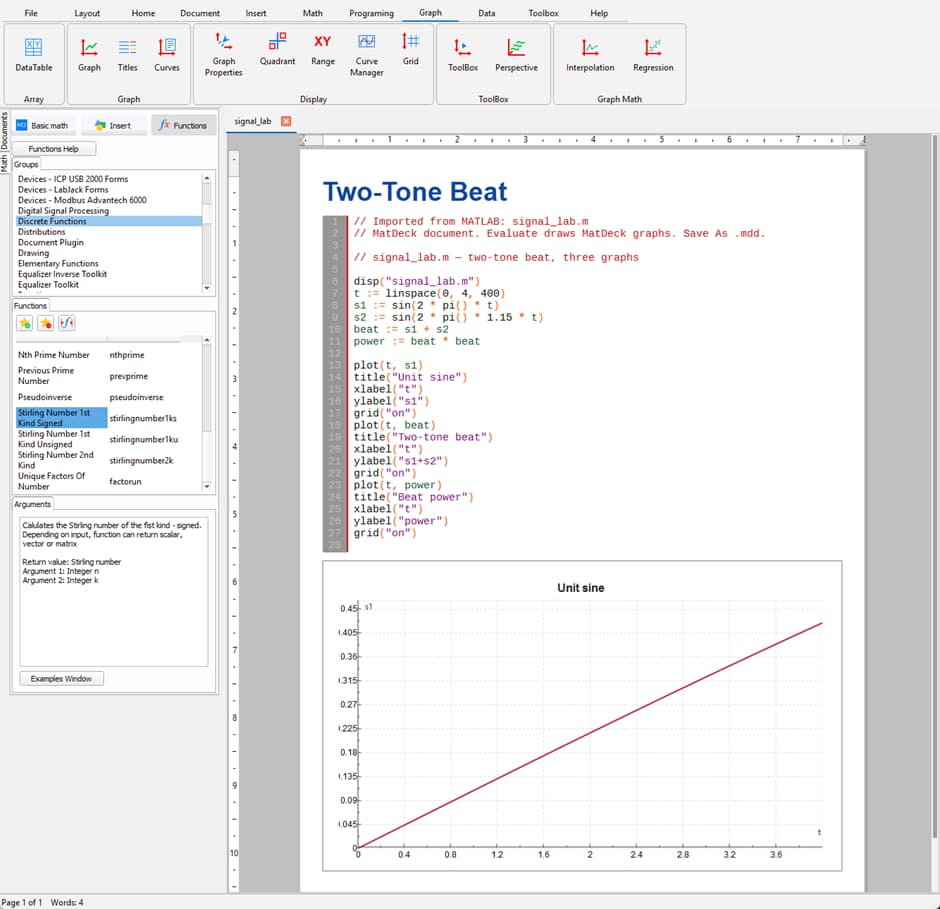
Run MATLAB Code Directly in MatDeck
Opening a MATLAB file is only part of the workflow. Once your code is in MatDeck, you can run it directly and work with the resulting calculations and graphs without having to move the file into another application.
This makes it easier to test existing scripts, explore changes and develop calculations while keeping the code and its results together. For larger projects, it also allows you to move more naturally between programming, calculation and analysis rather than treating each stage as a separate task.
The result is a workflow where the code and the technical work surrounding it can remain together.
Edit, Test and Refine Your Code
Technical calculations rarely remain unchanged. A model may need new parameters, an algorithm may need to be adjusted or an existing calculation may need to be extended for a different application.
With MATLAB files in MatDeck, you can make those changes directly to the code and run the updated version to see how they affect the results. This creates a natural development process in which editing, testing and analysing become part of the same workflow rather than separate steps between different applications.
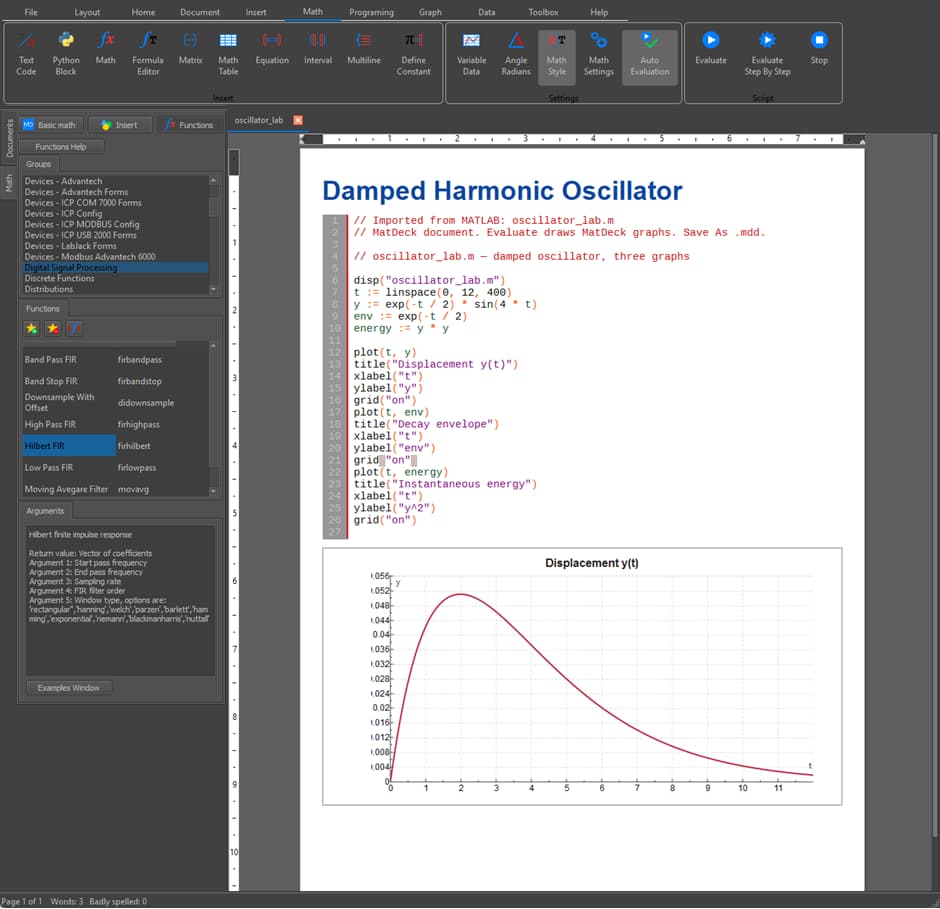
Work Across Different Technical Applications
MATLAB is used across a wide range of technical disciplines, from engineering and scientific computing to numerical analysis and quantitative finance. The ability to work with existing MATLAB files therefore means that MatDeck can fit into many different types of technical workflow.
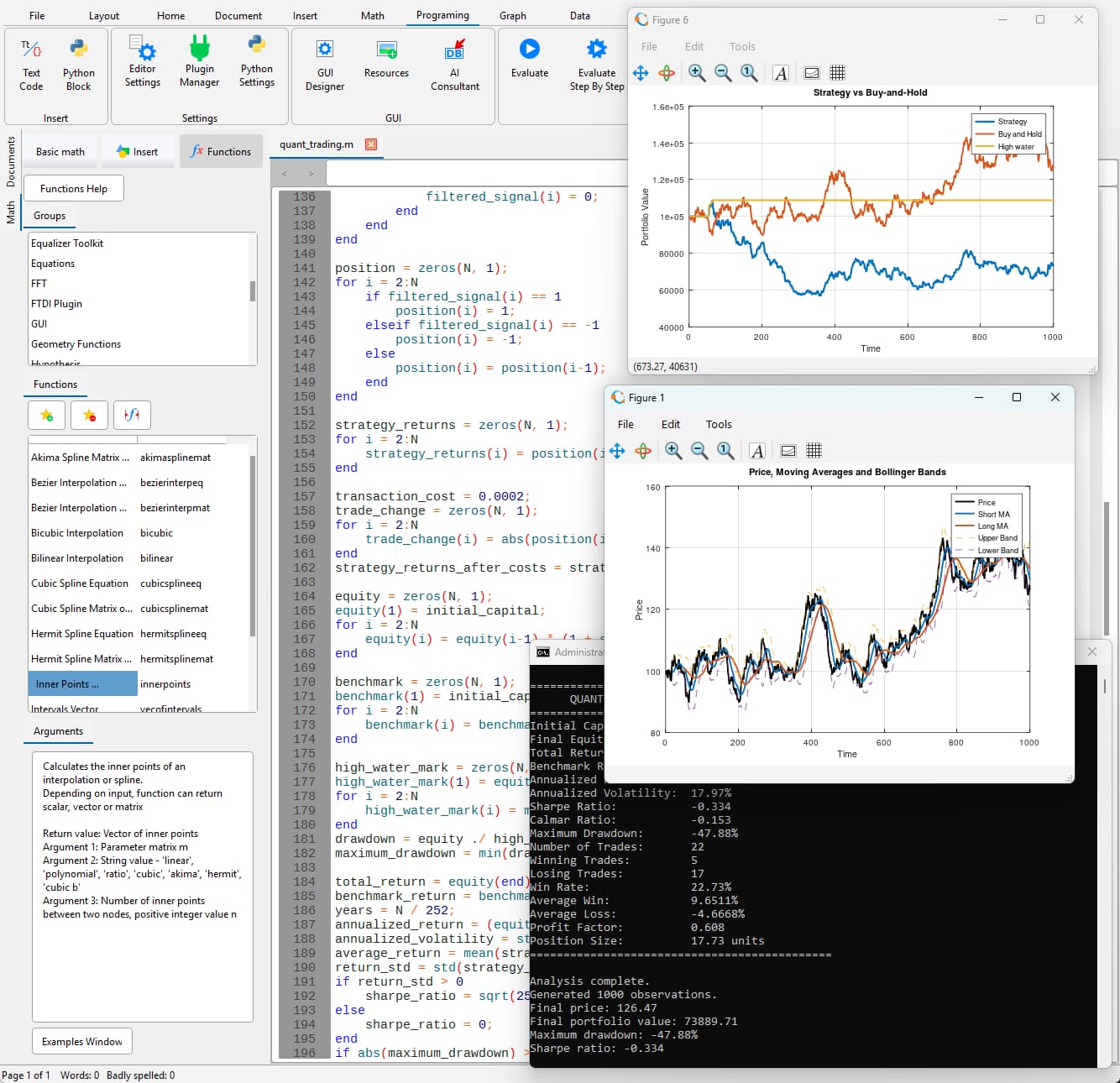
An engineering model can be developed and tested using existing MATLAB code, while a financial analysis can use scripts that process data, calculate indicators and evaluate a strategy. The underlying workflow remains the same: work with the code, run the calculation and examine the results within the same environment.
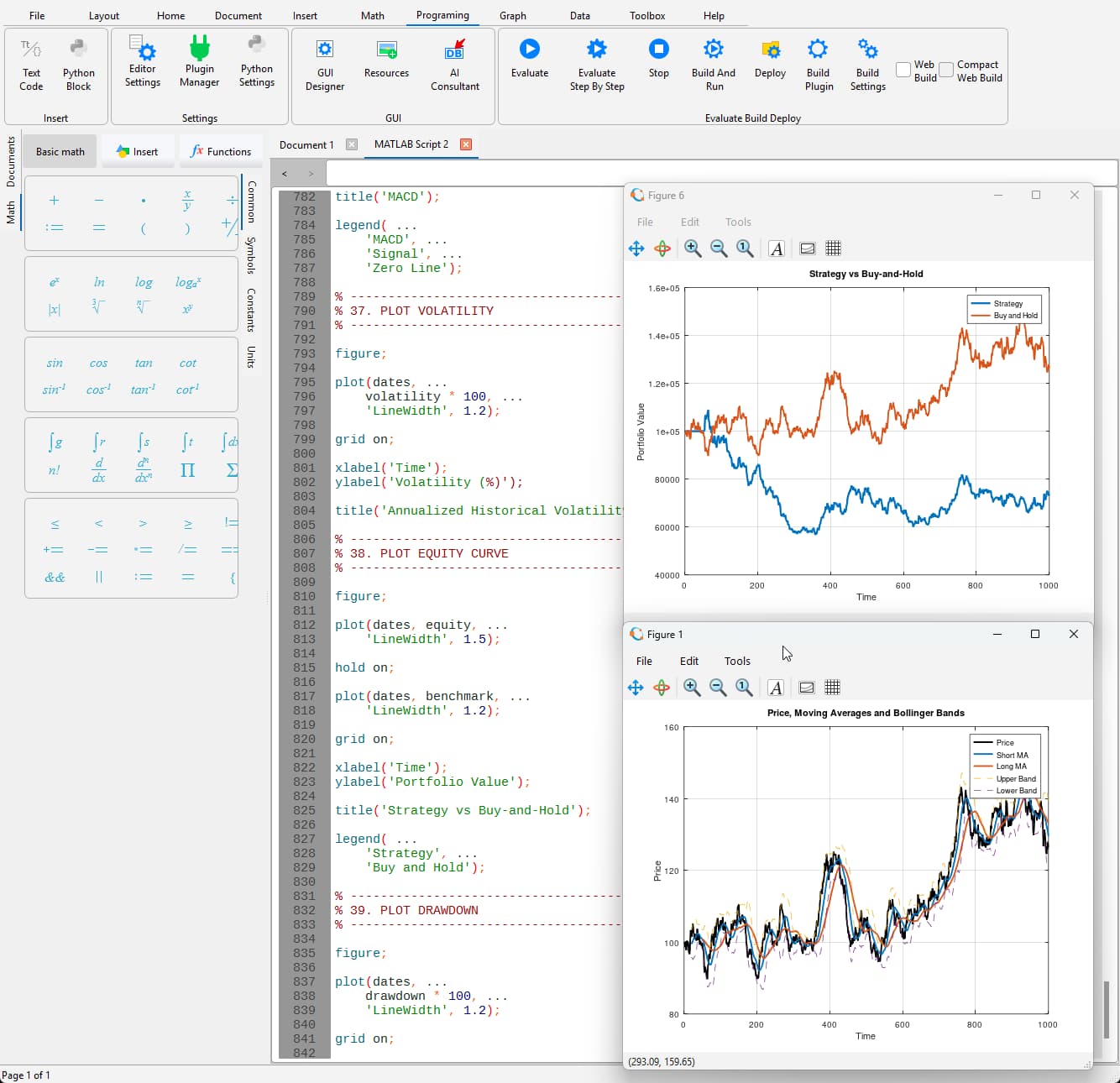
Make More of Your Existing Code
Existing MATLAB projects can contain much more than lines of code. They can represent established methods, specialised calculations and knowledge built up through years of development and testing.
Rather than treating that work as something that needs to be replaced, MatDeck allows you to continue using it as the foundation for further development. An existing script can be adapted to a new problem, extended with additional calculations or used to test a different approach. This makes it possible to build on previous work while bringing it into a broader technical environment.
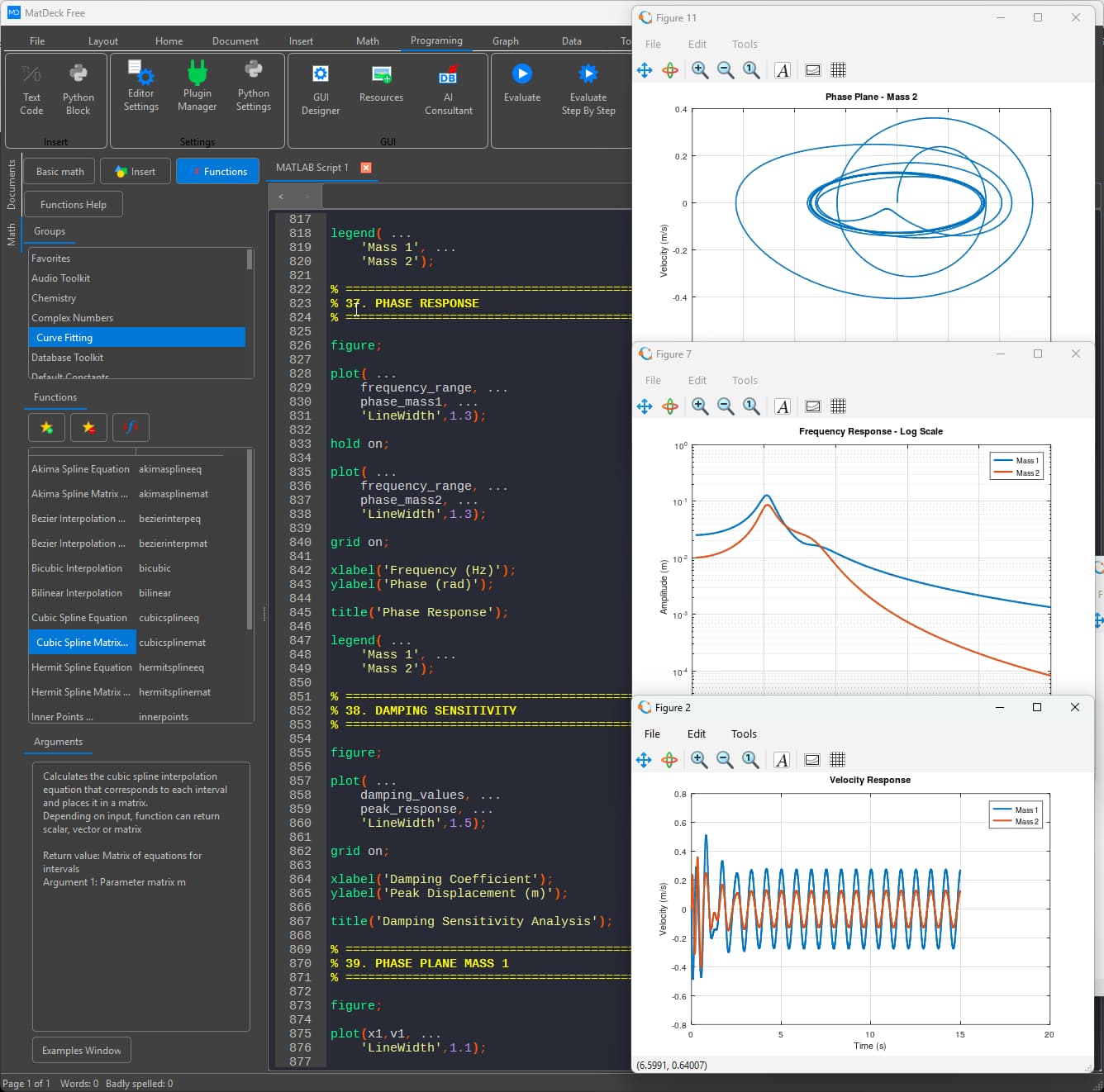
A More Connected Technical Workflow
Technical projects rarely involve code alone. Calculations need to be tested, results need to be visualised and different parts of an analysis often need to be considered together.
By bringing MATLAB files into MatDeck, the code that performs a calculation can sit alongside the graphs, formulas and other technical content used to understand its results. This helps reduce the separation between programming and the rest of the technical workflow, making it easier to move from developing a calculation to examining and interpreting what it produces.
For projects involving substantial amounts of code and analysis, keeping these elements together can also make the overall workflow easier to follow and develop.
From Existing Code to New Applications
An existing MATLAB script can be more than something you simply run. It can become the starting point for further work.
You can open a script that you have used before, examine the existing approach and adapt it to a new application. Parameters can be changed, calculations can be extended and different methods can be tested while building on the original work. This is useful across areas such as numerical methods, engineering models, signal processing, mathematical calculations and quantitative analysis.
Keep Your Existing Workflow Flexible
Different projects require different tools, and existing MATLAB code may already be an important part of the way you work. There may be no reason to replace an established workflow simply because you want to use additional technical capabilities.
MatDeck gives you the flexibility to bring that existing code into a wider technical environment while continuing to work with the scripts and calculations you already know. This allows established MATLAB work to remain part of the process while new calculations, analysis and development are carried out alongside it.
Designed for Real Technical Work
MatDeck is designed for engineering, scientific, mathematical and computational work, bringing programming, calculations, graphs and technical analysis into one environment.
MATLAB file support adds another way to incorporate existing code into that workflow. From a short calculation to a larger technical project, you can open MATLAB files, run the code, modify the scripts and work with the resulting calculations and graphs as part of the same project.
The examples shown throughout this page demonstrate how this can be applied to different types of work, from mathematical and engineering models to financial and quantitative analysis.
Key Features
- Open MATLAB Files
Open existing MATLAB files directly in MatDeck and continue working with the code and calculations you have already developed. - Run MATLAB Code
Execute MATLAB scripts within MatDeck for calculations, testing, modelling and technical development. - Edit Existing Files
Modify MATLAB code, adjust parameters and refine calculations while remaining within the same working environment. - Reuse Existing Work
Build on established scripts, models and calculations instead of recreating work that has already been developed. - Work With Technical Results
Keep generated calculations, graphs and analysis together with the code used to produce them. - Develop and Experiment
Adapt existing code, test different approaches and develop new ideas from the same technical environment. - Your MATLAB Files, Your Workflow
Your existing MATLAB code represents work you have already developed, tested and refined. MatDeck gives you a way to bring that work into a broader technical environment without forcing you to start again.
Open an existing file and continue where you left off. Run the code, examine the results and make changes as your project develops. Whether you are working on an engineering model, a mathematical calculation, a scientific application or a quantitative analysis, your existing MATLAB work can remain part of the process.
Open your files. Run your code. Develop your work. All within MatDeck.
Start Working With MATLAB Files in MatDeck
If MATLAB files are already part of your technical workflow, MatDeck provides a practical way to bring that code into a wider environment for engineering, science, mathematics, finance and computational analysis.
Continue using the work you have already developed while bringing your code, calculations and results closer together.
Bring your MATLAB files into MatDeck and continue where you left off.
Get the User Manual